Source
Supabase live template
Delivery
Sent email
Last sent May 12, 2026
Updated
Apr 29, 2026
Visuals
4 image assets
Version 2. rewrote Day 4 for practical guardrails and added four branded visuals
Main Context
AI Orientation
Day 4: Guardrails, privacy, and context limits
Day 4: Guardrails, privacy, and context limits
What you'll see today:
- The Samsung leak story and the real lesson behind it
- A simple rule for what you should never paste into AI
- What a context window is and why AI seems to forget
- How to get more consistent answers with custom instructions
- Your action: build your own AI profile

The fast version of today's lesson:
AI is useful, but it is not a free-for-all.
A few companies learned that the hard way.
In 2023, Samsung employees reportedly pasted sensitive internal code into ChatGPT while trying to move faster. The tool helped, but the company then had a bigger problem: confidential information had been shared with an outside AI system.
That story became one of the clearest early warnings in the AI era.
The important lesson is not “never use AI.”
The lesson is: if you do not understand the guardrails, you will eventually put the wrong thing in, trust the wrong output, or ask for too much at once.
Today is about avoiding those beginner mistakes.
1) The share test: what should never go into public AI
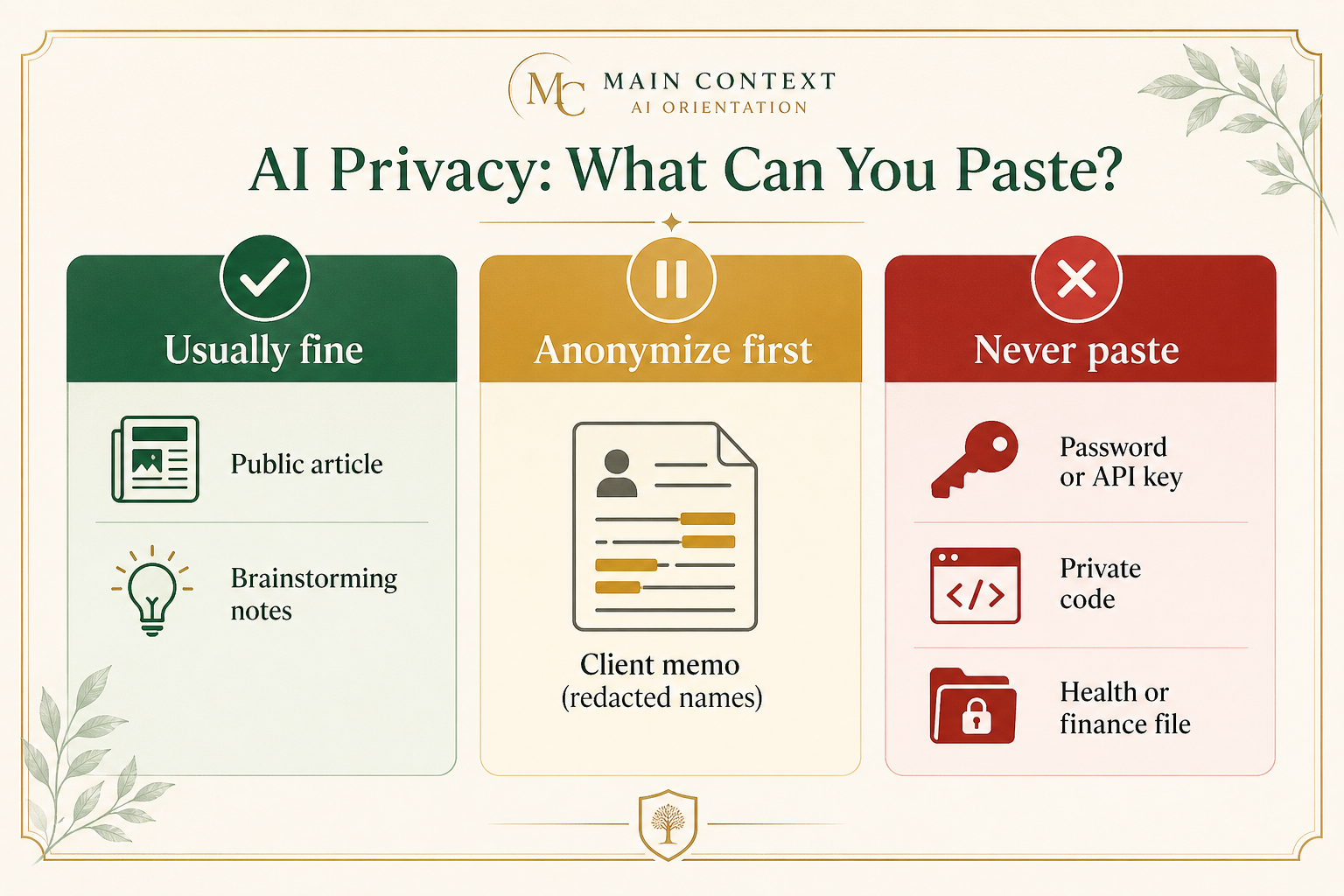
When people ask, “Is it safe to paste this into ChatGPT or Claude?” the practical answer is usually not complicated.
Use this 3-level test:
Green: usually fine
- generic brainstorming
- drafting a social post
- summarizing public information
- rewriting your own non-sensitive writing
Yellow: pause and clean it up first
- client notes
- internal meeting summaries
- anything with names, numbers, or specific business details
- work you could anonymize before sharing
Red: do not paste into a public AI tool
- passwords, API keys, private legal documents
- proprietary code or unreleased product plans
- personal health details that should stay private
- sensitive HR, financial, or customer data
If a real person inside your company would say, “Please do not forward this externally,” treat it as red by default.
Safer moves:
- remove names and identifiers
- replace specifics with placeholders like [Client] or [Company]
- use company-approved enterprise tools if they exist
- when in doubt, do not paste it
The beginner mistake is thinking of AI as a private notebook.
Often, it is closer to using an external service.
2) Why AI “forgets”: the context window
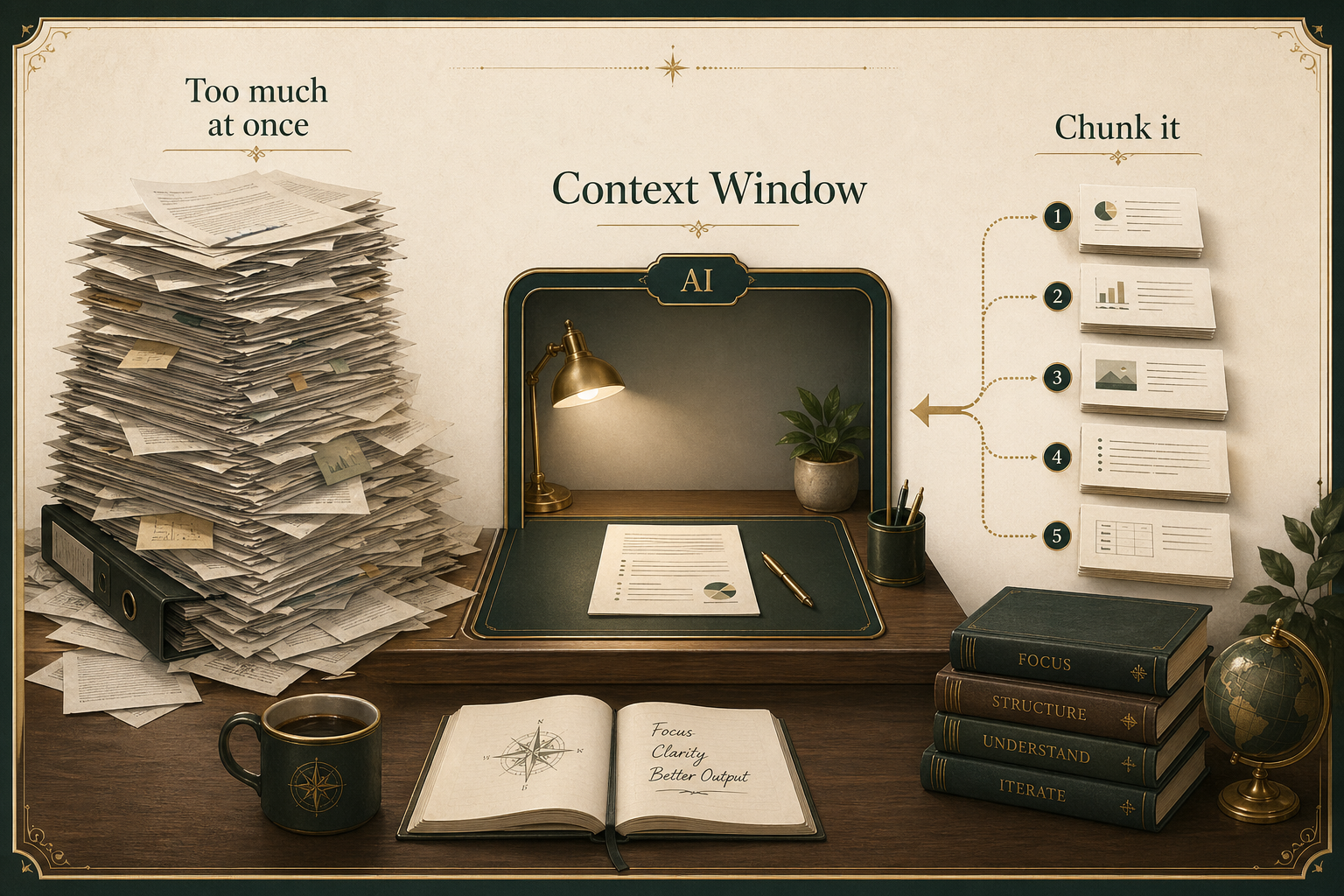
The second guardrail is not about privacy. It is about limits.
AI does not have infinite working memory.
It only sees part of the conversation and the materials you give it at one time. That working space is often called the context window.
You will feel this limit when:
- the model forgets earlier details
- a long project starts drifting
- it stops following your original constraints
- the answer gets weaker as the task gets bigger
This is why people say things like:
- “It started strong, then got weird.”
- “It forgot the format I asked for.”
- “It ignored the instructions from earlier in the chat.”
That is not always because the model is bad.
Sometimes you are simply overloading the working memory.
The fix is simple: chunk the task.
Instead of:
“Write my entire strategy document.”
Use:
- “First, outline the sections.”
- “Now draft section 1 only.”
- “Now rewrite section 1 for a less technical audience.”
- “Now summarize the decisions in bullet points.”
Strong users do not ask for everything in one shot.
They break the work into smaller passes.
3) Custom instructions: your permanent guardrail
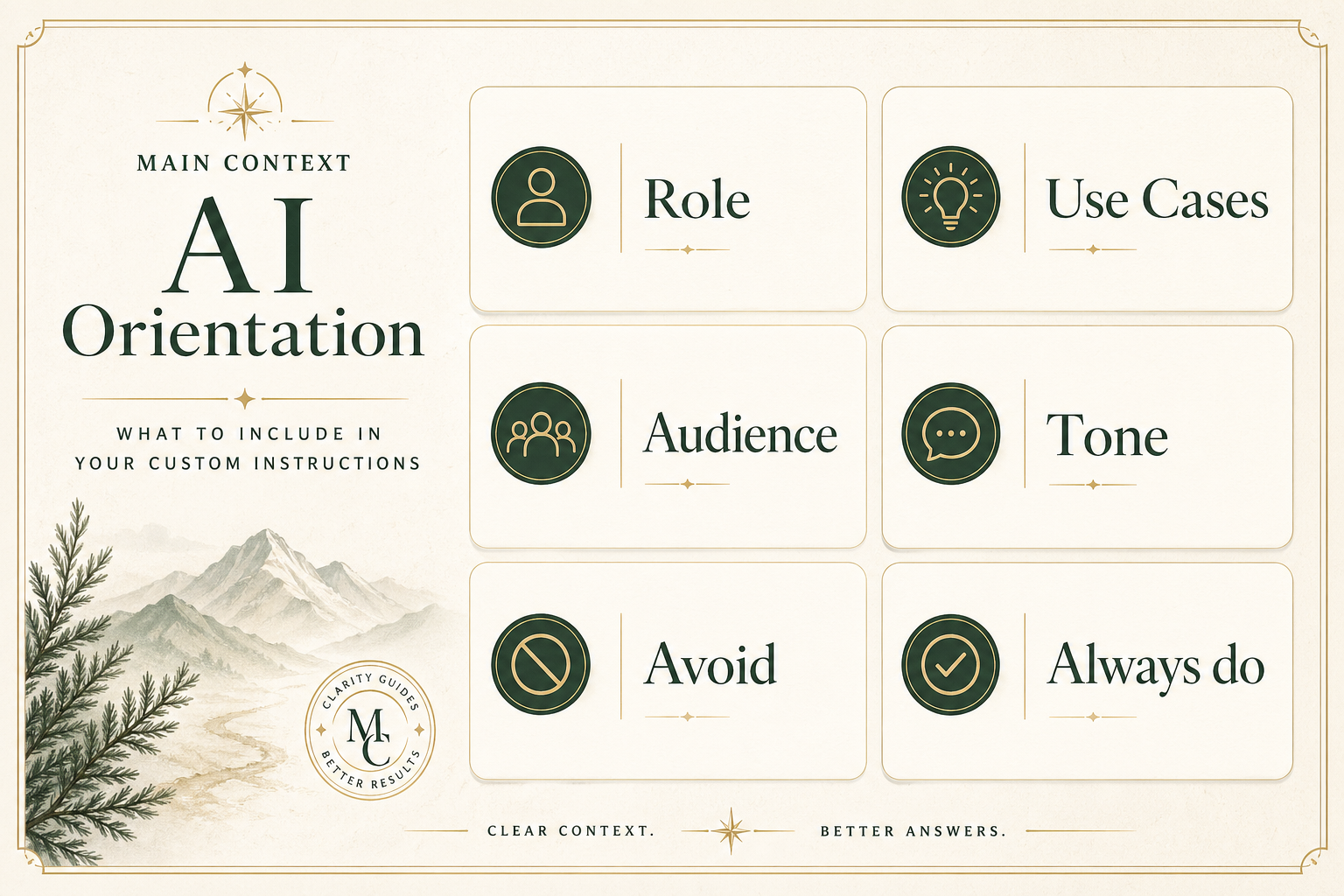
Now for the most useful practical move in today's lesson.
Most major AI tools let you save some persistent guidance about yourself.
Depending on the product, this may be called custom instructions, profile preferences, or project instructions.
The idea is the same:
you give the AI a reusable starting point so you do not have to explain yourself from scratch every time.
A good instruction profile usually includes:
- who you are
- what kind of work you do
- who your audience is
- the tone you prefer
- what to avoid
- what “good” looks like for you
Example:
“I work in operations for a mid-sized services business. I use AI mostly for email drafts, summaries, planning, and internal documentation. Keep responses practical, plain-English, and skimmable. Prefer bullets over long paragraphs. If I ask for recommendations, include tradeoffs. Do not use hypey language or sound like marketing copy.”
That is already much better than opening every chat with nothing.
Good custom instructions do not make the model perfect.
But they do make it more consistent.
Your action for today
Build your own AI working profile.
Reply with a short draft that includes:
- what you do
- what you use AI for
- how you want it to sound
- what you want it to avoid
- one thing you want it to do every time
You can use this starter template:
- I work in:
- I usually use AI for:
- My audience is:
- I want the tone to be:
- Please avoid:
- Every time I ask for help, also:
Reply with your draft, and I’ll tell you:
- what is strong already
- what is too vague
- the one change that would make it more useful immediately