Source
Supabase live template
Delivery
Prepared email
Prepared, not sent yet
Updated
May 1, 2026
Visuals
4 image assets
Version 2. rewrote Day 14 for practical AI workspace wrap-up and added three branded visuals
Main Context
AI Orientation
Day 14: Your AI workspace and what comes next
Day 14: Build your own practical AI workspace
What you'll see today:
- The difference between random AI usage and a repeatable system
- How the last 13 days fit together
- What a simple personal AI workspace can include
- How to decide your next step after Orientation
- Your action: define your own AI stack and workflow
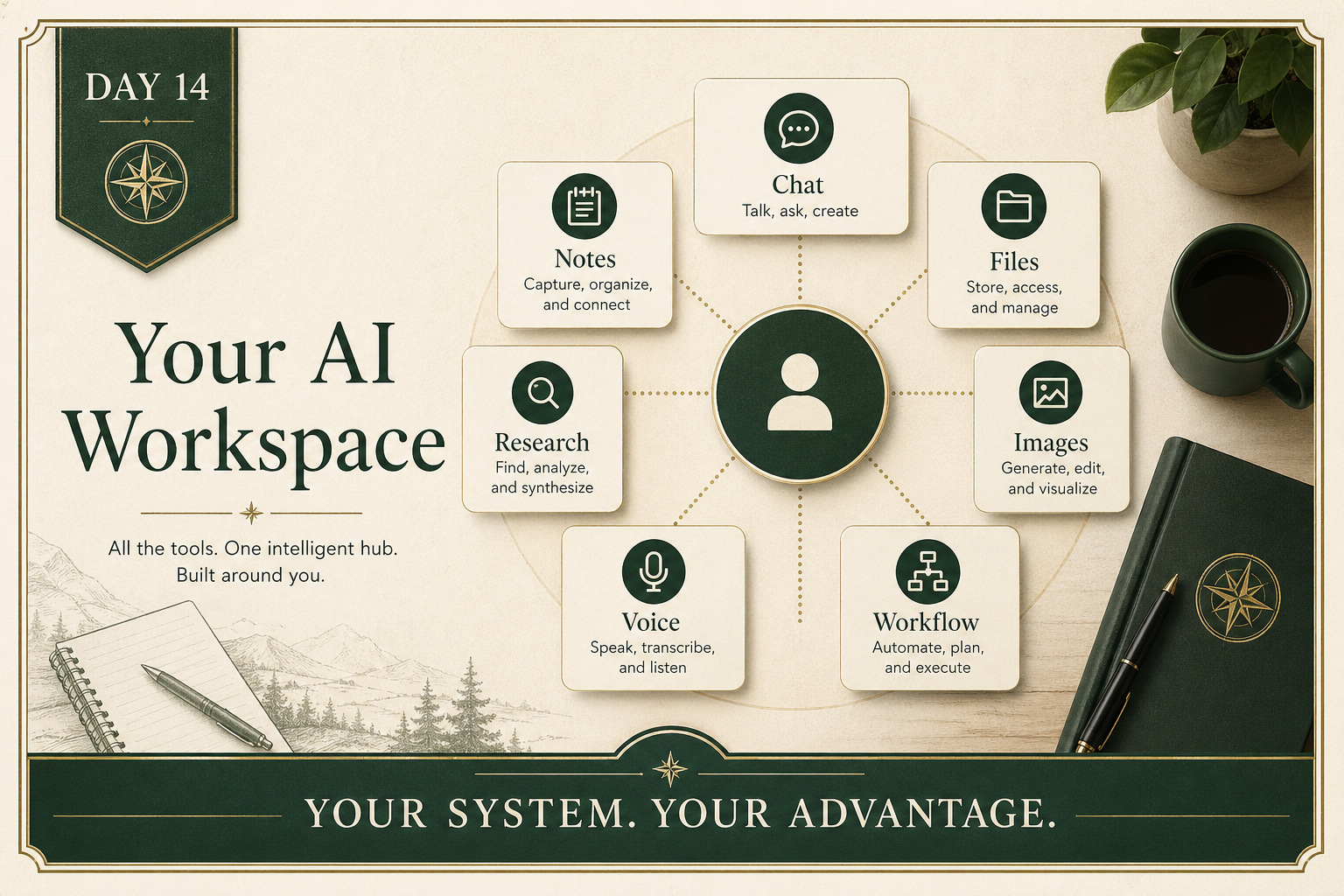
Over the last two weeks, the point was never “learn one tool.”
The point was to build better judgment.
You have now seen:
- prompting
- hallucinations
- privacy and guardrails
- learning with AI
- projects and context
- research
- image tools
- audio and voice
- video
- presentations
- specialist tools
The next step is not to memorize every feature.
It is to build a usable setup.
1) A workspace beats random tool hopping
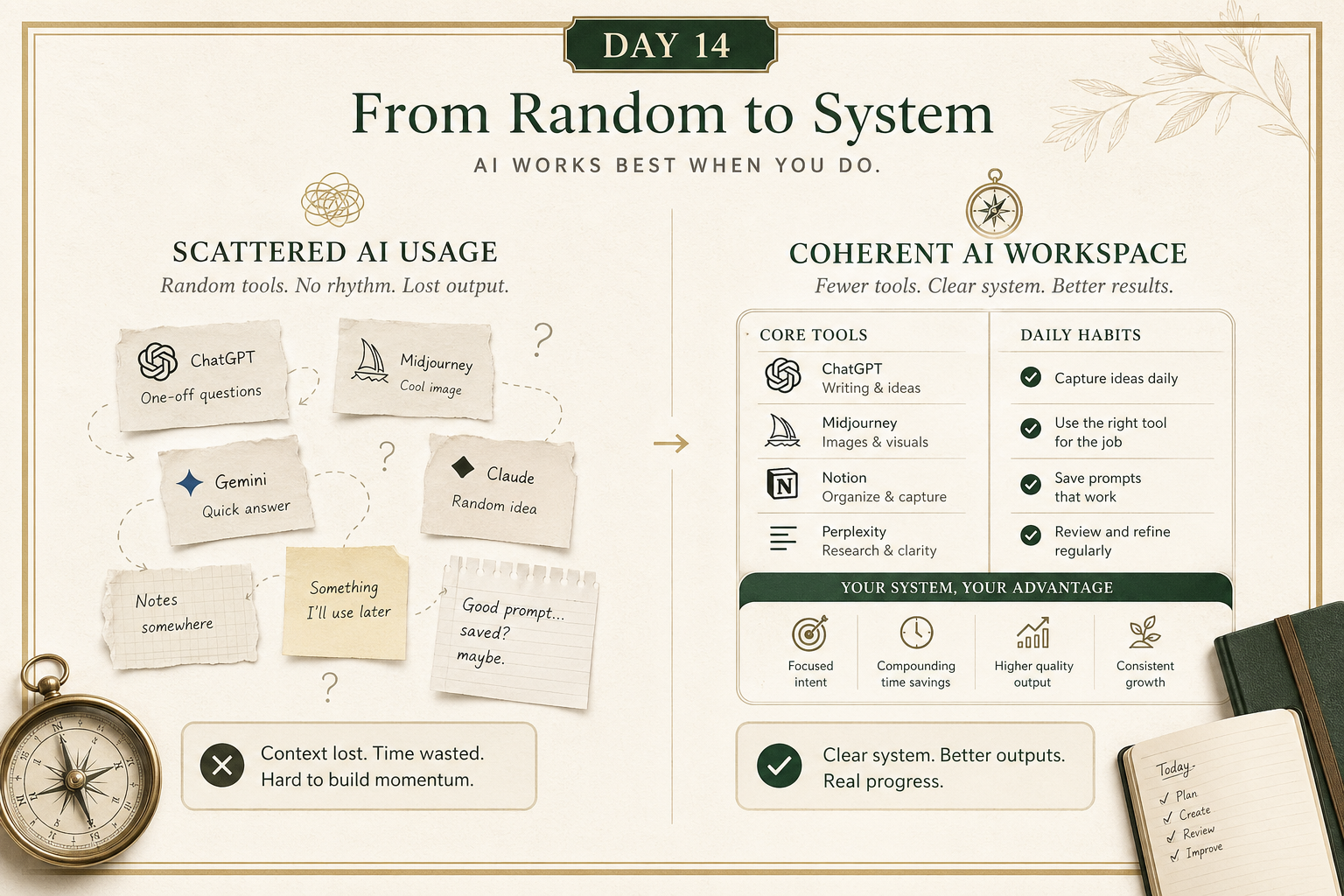
A practical AI workspace might include:
- one main chat tool
- one place for source documents
- one research workflow
- one image or design workflow
- one note capture system
- a few reusable prompts
- a clear rule for when to verify
That is already enough to be far ahead of most casual users.
The goal is not maximum complexity.
The goal is repeatability.
2) Your real advantage is judgment, not tool trivia
The most valuable things from Orientation are not secret commands.
They are habits:
- ask more clearly
- verify when it matters
- use the right tool for the job
- give better context
- prefer structure over fluff
- stay in control of the final judgment
That is what turns AI from novelty into leverage.
3) Pick the next layer that matches your real life
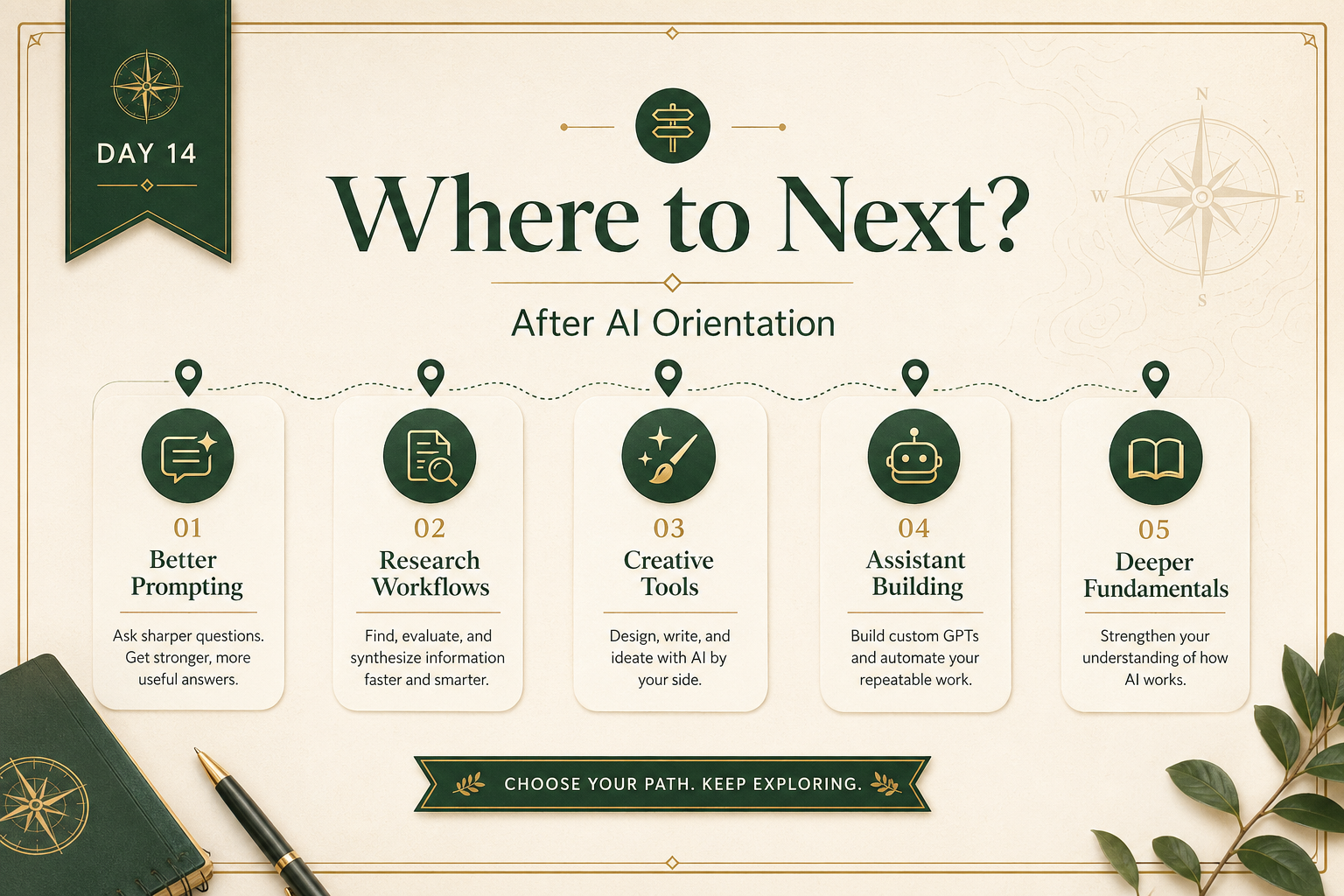
From here, your next step depends on what you actually want.
Maybe it is:
- getting better at prompting in your current job
- building a stronger research workflow
- using AI for content or presentations
- working with multimodal tools more confidently
- going deeper into how models and systems work
The best next step is not the most impressive one.
It is the one you will actually use.
Your action for today
Reply with your simple personal AI workspace draft.
Use this format:
- My main chat tool:
- My research tool:
- My document/context tool:
- My image/audio/video tool, if any:
- The task I most want AI to help me with:
- The biggest mistake I still want to avoid:
- My next learning priority:
I’ll tell you:
- whether the setup is coherent
- where it is overcomplicated or missing a piece
- what your most useful next step should be after Orientation